AI Jewelry Product Photography for Amazon Listings (2026)
Jewelry is one of the hardest product categories to photograph for Amazon — and one of the easiest to get wrong. This guide covers why jewelry photography fails, what Amazon actually requires, and how AI generates a compliant 9-image listing set from a single product photo.
Updated: April 2026
Why Jewelry Photography Is So Hard
Most product categories are forgiving. A water bottle on a white background? Point, shoot, done. Jewelry is different — it fights back.
Three physical properties make jewelry uniquely difficult:
Reflectivity. Silver, gold, and cubic zirconia reflect everything around them — your camera, your hands, the light source itself. A standard studio light aimed at a bracelet creates a blinding hotspot that wipes out all the detail you're trying to show.
Scale. A bracelet is 18cm long. On Amazon, your main image thumbnail is displayed at roughly 160px wide. At that size, detail disappears. Buyers can't see the cubic zirconia sparkle, the infinity symbol precision, or the chain link quality — the three things that justify the price.
The white background compliance trap. Amazon requires pure white — RGB 255,255,255 — for every main image. Not off-white. Not light gray. 255,255,255. Jewelry, being reflective, picks up every ambient color in the room. A slightly warm light source turns your "white" background cream. A cool fluorescent makes it blue-gray. Both get flagged.
What Amazon Actually Requires for Jewelry Images
Amazon's jewelry image rules are stricter than most categories:
- Main image: Product only, pure white background (RGB 255,255,255), no model, no packaging, no props. Rings, bracelets, and earrings must be shown in full — no cropping. Necklaces may be cropped at the frame edge.
- Product fill: The jewelry must occupy at least 85% of the frame. Tiny products floating in white space get suppressed.
- Scale reference: Amazon strongly recommends at least one secondary image showing the piece worn — on a wrist, neck, or hand — so buyers can judge actual size.
- Up to 9 images total: 1 main + 8 secondary. Most sellers use 6–7. Top-converting jewelry listings use all 9.
The compliance gap is real: a 2026 FrameOnce analysis found that off-white backgrounds and incorrect product sizing are the two most common reasons jewelry listings get suppressed on first upload.
GreenOnion.ai Amazon product image generator - generate professional images from one photo, no photoshoot needed.
Who This Is For
Amazon FBA jewelry sellers launching new SKUs who need a full compliant image set fast — without scheduling a photographer, shipping samples, or waiting two weeks for edits.
Private label brands with 10–50 jewelry SKUs who need visual consistency across their catalog. One slightly different white balance between products looks amateurish and tanks brand trust.
Dropshippers using supplier photos that are already off-white, low-resolution, or shot on gray backgrounds — images that will fail Amazon's compliance check on upload.
How to Build a 9-Image Jewelry Listing That Converts
A high-converting Amazon jewelry listing doesn't just show the product — it answers every buyer question before they can ask it. Here's how the 9 slots should work:
Image 1 — Main image (compliance priority) Pure white background, product centered, 85%+ fill, no model. This is the thumbnail buyers see in search results. It needs to be sharp enough to show sparkle even at 160px.
Image 2 — Feature callout Show what makes this piece different. For a cubic zirconia bracelet: the cut precision, the adjustable clasp mechanism, the chain link quality. Use close-up insets with short labels — "Brilliant Sparkle," "Durable Chain," "Custom Fit."
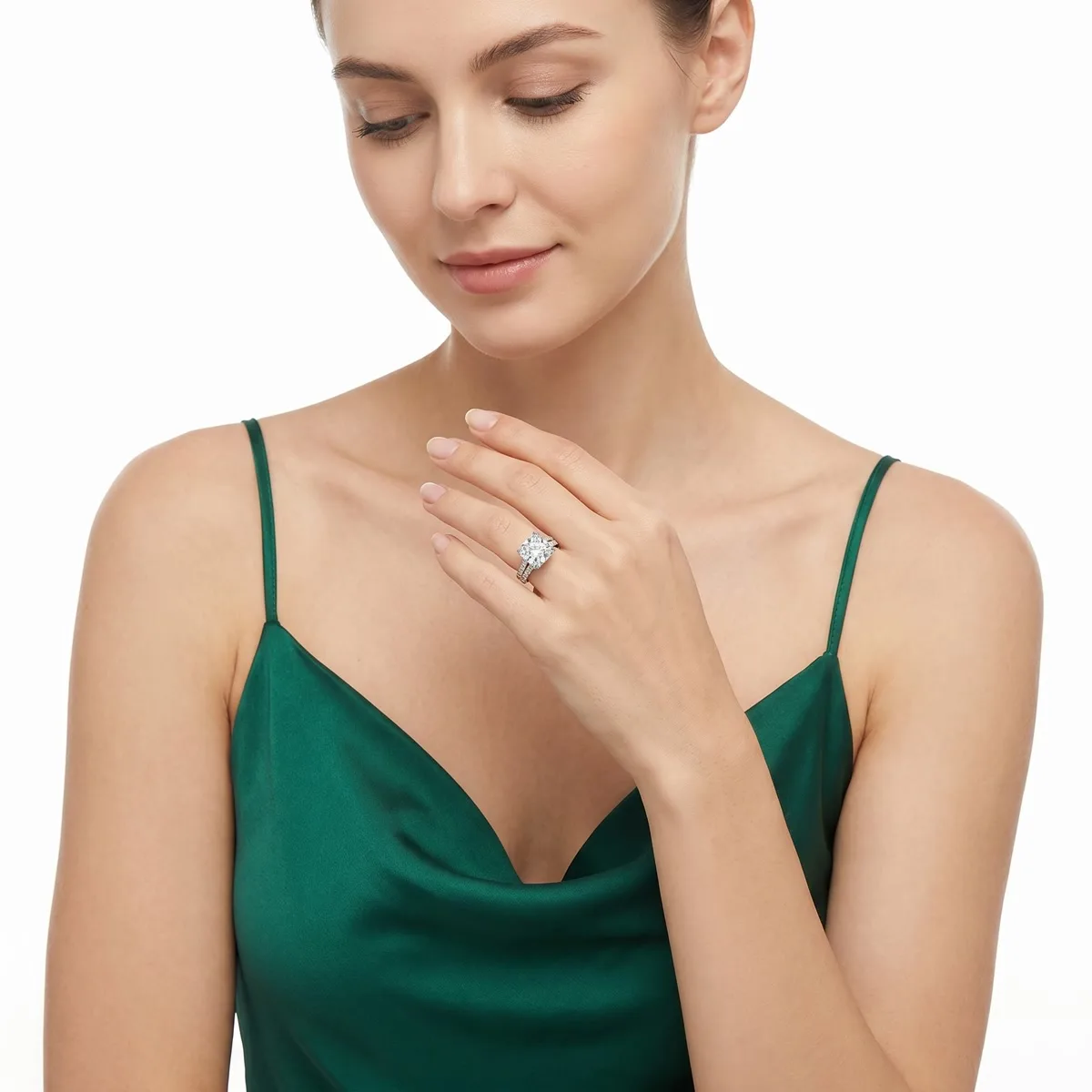
Image 3 — On-model lifestyle (scale + aspiration) This is where you solve the size problem. A wrist shot in a natural setting shows buyers exactly how large the bracelet is and how it looks worn. Without this, returns spike because buyers expected something different.
Images 4–6 — Occasion and lifestyle shots Show the bracelet in context: casual daywear, evening occasion, gifting moment. Jewelry is heavily emotion-driven — buyers aren't just buying a bracelet, they're buying what it represents. These images do that work.
Image 7 — Detail macro shots Extreme close-ups of the infinity symbol, the zirconia stones, the chain links, the clasp. This is where craftsmanship gets proven. At this zoom level, AI-generated detail shots and real macro photography are visually indistinguishable.
Image 8 — Size and proportion Measurement references, size comparison, "fits all" adjustment range. Answers the #1 pre-purchase question for bracelets.
Image 9 — Brand story The emotional close. Gifting context, craftsmanship narrative, "more than jewelry" positioning. Converts browsers into buyers.
The Traditional Photography Problem
Producing this 9-image set the traditional way costs more than most sellers realize:
| Approach | Cost per SKU | Turnaround | Compliance Risk |
|---|---|---|---|
| DIY (phone + lightbox) | ~$0 + 3–4 hours | Same day | High — white balance is hard to control |
| Freelance photographer | $200–600 | 1–2 weeks | Medium — depends on skill |
| Professional studio | $600–1,500 | 2–4 weeks | Low |
| GreenOnion AI | Included in subscription | Minutes | Low — optimized for platform compliance |
For a 20-SKU jewelry catalog, professional photography runs $4,000–12,000. At that cost, most sellers compromise — fewer images per listing, lower quality, inconsistent styling across SKUs.
What AI-Generated Jewelry Photography Looks Like
The bracelet below is an Infinity Symbol Bracelet with Cubic Zirconia. One product photo was uploaded to GreenOnion. The result is a complete 9-image Amazon listing set:
[Image: Full 9-image grid — Infinity Bracelet listing set]
What the AI generated from a single upload:
- ✅ Compliant white background main image with full product visibility
- ✅ Feature callout with close-up insets (Custom Fit, Brilliant Sparkle, Durable Chain, Eternal Symbol)
- ✅ On-model lifestyle shots across three occasions (casual, evening, date night)
- ✅ Macro detail shots of the infinity symbol and stone settings
- ✅ Size and proportion reference with adjustment demonstration
- ✅ Gifting and brand story closing image
No photographer. No lightbox. No post-processing. No white balance correction.
Frequently Asked Questions
Are AI-generated images allowed on Amazon listings? Yes. As of 2026, Amazon permits AI-generated images in secondary image slots. The main image must still accurately represent the physical product. GreenOnion generates images from your actual product photo, so the representation is accurate.
Will the white background pass Amazon's compliance check? GreenOnion's Amazon module generates backgrounds optimized for the RGB 255,255,255 standard. Unlike DIY photography — where ambient light, shadows, and camera settings all affect the final white level — the output is consistent across every image in the set.
How many images should a jewelry listing have? Use all 9. Jewelry listings with 7–9 images consistently outperform those with 3–4. Each additional image answers a buyer question that would otherwise lead to a scroll-past or a return.
Can I use the same image set for multiple colorways? No — each variant (silver, gold, rose gold) should have its own image set. Amazon treats color variants as separate listings, and visual consistency between them signals a professional brand.
What if my product photo is low quality? GreenOnion works best with a clear, well-lit product photo where the jewelry is fully visible. The input doesn't need to be studio quality — a clean phone photo on a plain surface is sufficient. The AI analyzes the product structure and generates from there.
Generate a full 9-image Amazon jewelry listing set at GreenOnion.ai — no prompts, no photographer, no wait.
Frequently Asked Questions
Are AI-generated images allowed on Amazon listings?
Yes. As of 2026, Amazon permits AI-generated images in secondary image slots. The main image must still accurately represent the physical product. GreenOnion generates images from your actual product
Will the white background pass Amazon's compliance check?
GreenOnion's Amazon module generates backgrounds optimized for the RGB 255,255,255 standard. Unlike DIY photography — where ambient light, shadows, and camera settings all affect the final white level
How many images should a jewelry listing have?
Use all 9. Jewelry listings with 7–9 images consistently outperform those with 3–4. Each additional image answers a buyer question that would otherwise lead to a scroll-past or a return.
Get compliant Amazon listing images in minutes
Upload one product photo — GreenOnion generates white-background main images and lifestyle shots that meet Amazon's requirements.
Generate Amazon images freeRelated Articles
Amazon Listing Images: What Every Seller Must Know (2026)
Complete guide to Amazon listing images — requirements, image types, best practices, and how AI generates a compliant 9-image set.
Amazon ListingWhite Background Product Photography for Amazon: The Complete Guide (2026)
How to achieve true white background product photography for Amazon main images — setup, lighting, editing, and why AI eliminates the technical challenge.
EtsyAI Jewelry Photography: Perfect for Etsy Jewelry Shops (2026)
Etsy jewelry photography needs a completely different approach than Amazon. This guide covers the lifestyle arc that converts Etsy's emotional buyers.