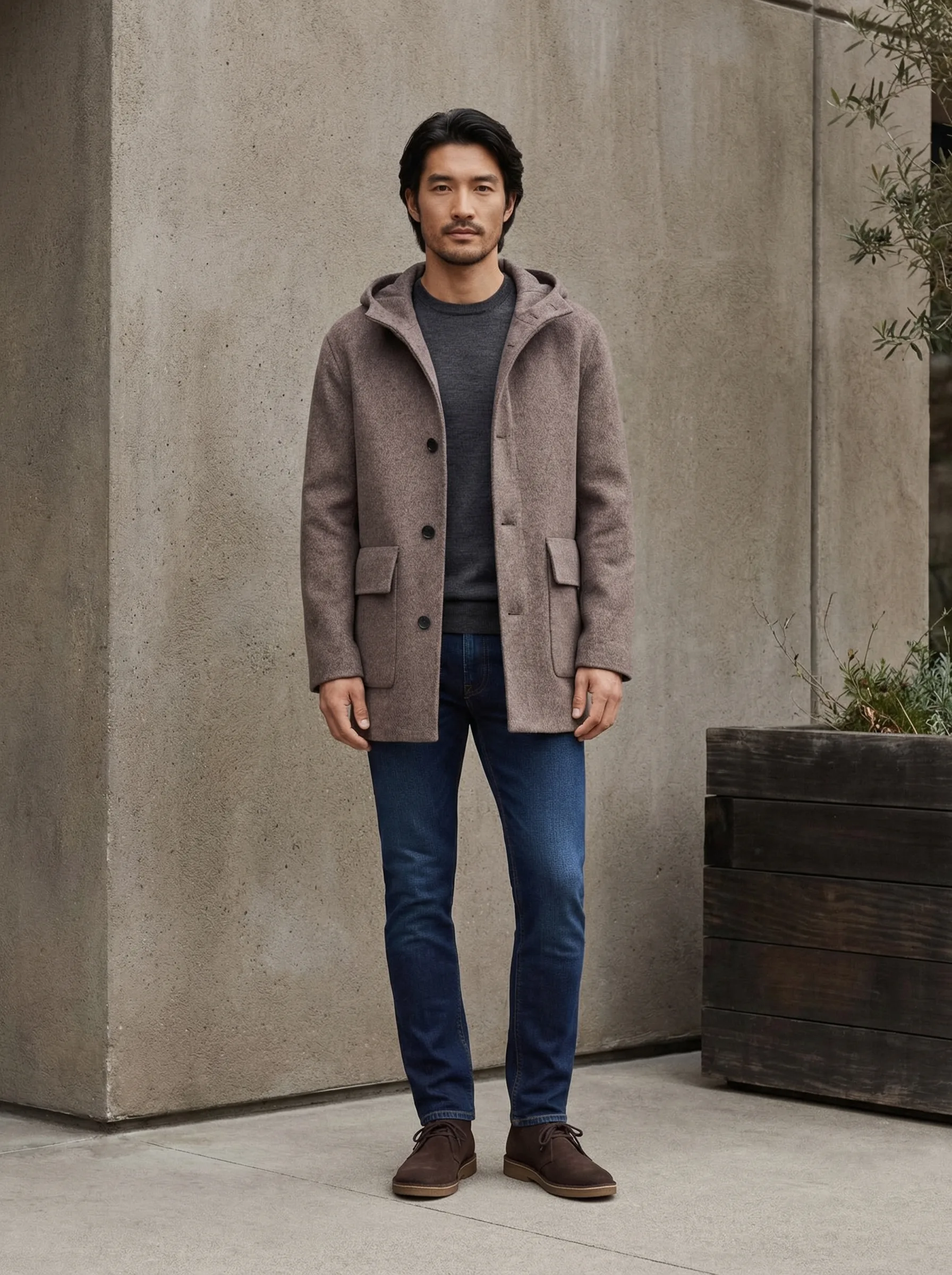
How to Start a Clothing Brand with AI-Generated Models (2026)
The model budget is one of the first things that stops new clothing brand founders. A professional model costs $500–2,000 per day. A photographer costs another $500–1,500. A location adds more. Before you've sold a single unit, you've spent $3,000–5,000 just to have images that look like a real brand.
AI-generated models change that math entirely. This guide covers whether AI models actually work, what the data says about conversion, how to execute them correctly, and what separates professional AI fashion photography from obvious AI fashion photography.
Updated: April 2026
Can You Actually Run a Clothing Brand Without Hiring a Model?
The short answer: yes. Brands are doing it right now, at scale.
AI-generated fashion imagery has moved from experimental to mainstream in the past two years. A 2024 McKinsey report on fashion retail found that over 30% of mid-sized DTC apparel brands were using some form of AI-generated imagery in their product listings. By 2025, platforms like Shopify reported that AI fashion photography tools were among the fastest-growing app categories in their ecosystem.
The brands leading this shift are not cutting corners — they're reallocating. Money that used to go to a single model shoot now funds broader catalog coverage, more SKUs photographed, more lifestyle contexts per product.
The question has shifted from "can AI replace models?" to "when does AI outperform real models, and when doesn't it?"
Does AI Photography Hurt Conversion Rates?
This is the real concern. And the answer is: bad AI photography hurts conversion. Good AI photography doesn't — and in some specific scenarios, it performs better than real photography.
Where AI photography underperforms:
- When the AI model's proportions look wrong for the garment
- When the fabric texture looks incorrect — too smooth, too plastic-looking
- When the pose is stiff or unnatural
- When the scene doesn't match the product's price point or aesthetic
- When it's obviously AI and execution is poor
Where AI photography matches or outperforms real photography:
- Consistent catalog coverage — every SKU in the same aesthetic, same model, same quality
- Multiple angles and contexts per product that would require multiple model sessions to produce
- Speed to market — new SKUs photographed and listed within days, not weeks
- International market adaptation — same product, different model aesthetics for different regional audiences
A Shopify study on apparel conversion found that listings with 4+ on-model images converted at 2.3x the rate of listings with flat lay only. The source of those on-model images — real photographer or AI — was not the differentiating factor. Quality and quantity were.
GreenOnion.ai AI fashion model photography tool - generate professional images from one photo, no photoshoot needed.
AI vs Real Model Photography: The Honest Comparison
| Real Model Shoot | AI-Generated Models | |
|---|---|---|
| Cost per shoot | $1,500–5,000+ | Subscription-based |
| Turnaround | 1–3 weeks | Hours |
| Consistency across catalog | Difficult — lighting, model availability vary | Consistent by design |
| Model matching to product | Manual casting | Automatic |
| Number of looks per SKU | Limited by shoot time | Multiple angles, multiple scenes |
| Retouching required | Yes | Minimal |
| New SKU turnaround | New shoot required | Same day |
When real model shoots are still worth it:
- Hero campaign imagery for brand launch or major seasonal push
- Very high price point products where buyers expect editorial-quality photography
- Products where fabric texture and drape are the primary selling points and must be photographed in extremely high resolution
For everything else — catalog coverage, new SKU launches, variant photography, marketplace listings — AI models are now the more practical choice for brands at every size.
The Technical Reality: What Makes AI Fashion Photography Work
Most sellers who try AI fashion photography and get bad results make the same mistakes. The four variables that determine quality:
1. Product Fidelity
The AI must accurately represent the actual garment. Color, cut, fabric texture, fit — all must match the real product. An AI model wearing a version of your shirt that looks slightly different is worse than no model at all, because it creates buyer expectations the product can't meet.
This is why generic AI tools like Midjourney fail for fashion listings. They generate a garment that looks like yours — not your actual garment on a model.
2. Model-Product Matching
The model must be appropriate for the product. This sounds obvious but it's consistently wrong in generic AI outputs.
A wide-brimmed sun hat worn by a model in office attire. Aviator sunglasses on a model in casual athletic wear. A linen resort shirt on a model whose posture and expression reads as corporate. All of these mismatches signal to buyers that the brand doesn't understand its own product.
This is a core part of what GreenOnion does differently: the system analyzes your product and automatically selects a model whose aesthetic, styling, and physical presentation matches the product's positioning. You don't cast the model — the AI does it based on what your product is.
3. Scene-Product Alignment
The location and setting must make sense for the product. A luxury linen shirt needs a location that says luxury — Mediterranean terrace, coastal villa, high-end resort. The same shirt in a generic urban background looks like a mid-range Amazon product.
Scene alignment is where most AI fashion tools fail because they apply generic backgrounds. The scene is half the story in fashion photography — it establishes the price point, the lifestyle, the buyer identity.
4. Natural Pose and Movement
Fashion photography communicates fit through body language. A stiff, symmetrical pose hides how fabric drapes and moves. Natural poses — hand adjusting a hat brim, turning to look at a view, sitting with relaxed weight — show the garment in motion and make the image believable.
What This Looks Like in Practice
The two image sets below were both generated by GreenOnion's Fashion module. Both feature the same AI-generated model. Both use a Mediterranean coastal location. But they're selling different products — and the photography adapts accordingly.
[Image 1: Linen Wide-Brim Hat — on-model catalog set]
Four angles of the same model wearing the hat: front facing, smiling three-quarter, side profile, turned away showing the back. Clean Mediterranean terrace background. The focus is the hat — how it sits, how it shades, how it moves with the model. This is catalog photography: the product is the subject, the model is the frame.
[Image 2: Aviator Sunglasses — lifestyle editorial set]
Same model, same location, different energy. Standing under a billowing linen canopy with champagne visible in background. Seated in a rattan chair, sunglasses on, the sea behind her. Holding the sunglasses mid-scene. Walking with purpose along a stone terrace. This is lifestyle photography: the product enables a world, and the model is living in it.
Same AI model. Same location family. Two completely different visual stories — because the hat needed to be seen clearly from every angle, and the sunglasses needed to be experienced as part of an aspirational lifestyle.
The model wasn't hired, cast, traveled, or paid. The location wasn't scouted or rented. Both sets were generated from a single product photo each.
Platform Strategy: Where to Use Each Image Type
Different platforms respond to different stages of the Product → Context → Interaction → Emotion progression.
Shopify product page: Lead with lifestyle editorial. Your Shopify buyer is browsing a brand they already found — they want to see the full world. Use your most atmospheric images first.
Etsy listing: Mix catalog (clear product view) with lifestyle. Etsy buyers want to see the product clearly AND feel the aesthetic. Start with a styled flat lay or clean on-model, then lifestyle.
Amazon listing: Catalog images first, lifestyle secondary. Amazon buyers are often comparison shopping — they need the product clearly visible before lifestyle context helps them.
Instagram/TikTok: Lifestyle only. Pure catalog images perform poorly on social. The emotion stage is what stops the scroll.
Frequently Asked Questions
Do I need to disclose that my model is AI-generated? FTC guidelines in the US require disclosure of material facts that could affect a purchasing decision. Whether AI model imagery requires disclosure is currently a gray area — there's no specific FTC ruling on AI fashion models as of 2026. Best practice is to disclose on your about page or in your brand story, without necessarily labeling every individual image.
Will buyers notice the model is AI-generated? High-quality AI fashion photography is not detectably AI to most buyers. The tells — unnatural hands, mismatched lighting, distorted fabric — are quality issues, not inherent properties of AI imagery. When executed correctly, buyers respond to the image, not the production method.
AI model vs ghost mannequin — which is better? Ghost mannequin (invisible mannequin) shows the garment shape without a body inside it. It's useful for specific product types — structured jackets, formalwear — where fit is better communicated by the garment alone. For most clothing categories, on-model images outperform ghost mannequin in conversion because they answer the question buyers actually have: "what will this look like on a person?"
Can I use AI models for all clothing categories? AI models work best for clothing with visible drape, fit, and lifestyle context — tops, dresses, outerwear, casual wear, accessories. Very technical sportswear (where fit precision is critical) and high-end formal wear (where fabric quality is the primary selling point) may benefit from supplemental real photography for specific shots.
How do I maintain consistency across my catalog? This is where AI has a fundamental advantage over real photography. GreenOnion applies the same model aesthetic, lighting logic, and scene vocabulary across every product in your catalog. Your 50th listing will match your first. That consistency — across hundreds of SKUs — is something that would require a multi-year commitment with a single model and photographer to replicate through traditional means.
Generate on-model fashion photography for your clothing brand at GreenOnion.ai — upload your product, get a model that fits, no casting required.
Frequently Asked Questions
Do I need to disclose that my model is AI-generated?
FTC guidelines in the US require disclosure of material facts that could affect a purchasing decision. Whether AI model imagery requires disclosure is currently a gray area — there's no specific FTC r
Will buyers notice the model is AI-generated?
High-quality AI fashion photography is not detectably AI to most buyers. The tells — unnatural hands, mismatched lighting, distorted fabric — are quality issues, not inherent properties of AI imagery.
AI model vs ghost mannequin — which is better?
Ghost mannequin (invisible mannequin) shows the garment shape without a body inside it. It's useful for specific product types — structured jackets, formalwear — where fit is better communicated by th
Shoot your clothing line without a model or studio
GreenOnion places your garments on AI models in any setting — get editorial-quality fashion photos from a single flat-lay or hanger shot.
Try fashion photography freeRelated Articles
AI Fashion Photography for Amazon Clothing Sellers (2026)
How Amazon clothing sellers use AI fashion photography to generate on-model listing images, lifestyle shots, and ghost mannequin images at scale.
FashionGhost Mannequin vs AI Models for Clothing Brands (2026)
Comparing ghost mannequin photography and AI model generation for clothing listings — when each approach works best and how to decide.
FashionEditorial Fashion Photography with AI: Luxury on a Budget (2026)
How independent fashion brands create editorial-quality photography with AI — the visual language of editorial fashion and how AI makes it accessible.