Quick Answer
Yes, you can use AI photos on Shopify — and most shoppers won't mind if they look realistic and match the product they receive.
Consumer research from the 2024 Edelman Trust Barometer reveals that 71% of consumers worry about trusting what they see because of AI, but the real issue isn't whether images are AI-generated — it's whether they accurately represent your product.
According to a 2024 McKinsey study on AI adoption in retail, nearly 90% of consumers want transparency on AI-generated content, yet research also reveals that when AI photos are high-quality and realistic, shoppers respond just as positively as they do to professional photography.
This article explains when AI photos are safe to use, when they might hurt conversions, and how successful Shopify sellers actually use them without damaging credibility.
Why Sellers Are Afraid to Use AI Photos
The core fear:
"Will customers think my store is fake?"
New Shopify sellers often associate AI-generated images with:
- Scam websites and dropshipping stigma
- Unrealistic, over-polished visuals
- Generic stock photography that screams "amateur"
But here's the reality:
Shoppers react to trust signals, not the tools you used to create images. A skincare seller using a blurry iPhone photo will lose more sales than one using a crisp, realistic AI-generated product shot.
What Shopify (and the Law) Actually Allows
Short answer:
Shopify fully allows AI-generated images.
According to Shopify's official product media guidelines, there are no restrictions on using AI-generated images. The platform's requirements focus on technical specifications (file size, dimensions, format) — not how the image was created.
Technical Requirements (What Actually Matters)
Your product images can be any size up to 5000 x 5000 px, or 25 megapixels, with a file size smaller than 20 MB. For optimal display:
- Recommended size: 2048 x 2048 px for square product images
- Minimum for zoom: 800 x 800 px
- Supported formats: JPG, PNG, GIF, HEIC, WebP
The Legal Consideration
The Federal Trade Commission requires that advertisements must be truthful, not misleading, and backed by evidence. This applies to all product images — whether they're professional photos, iPhone shots, or AI-generated.
You cannot:
- Misrepresent product shape, size, color, or function
- Show results the product can't deliver
- Create unrealistic expectations through imagery
You can:
- Use AI to create lifestyle contexts for products
- Generate multiple background variations
- Enhance lighting and presentation
- Show products in professional settings
The FTC doesn't care whether an image is AI-generated. They care whether it's truthful.
Do Customers Actually Care If Photos Are AI-Generated?
What Recent Research Shows
Consumer attitudes toward AI in marketing are nuanced. According to the 2024 Edelman Trust Barometer, only 20% of consumers trust AI itself, and just 21% trust AI companies, which sounds alarming.
However, research from a 2023 study published in the Journal of Advertising reveals a critical distinction: consumers care about what they see, not how it was made.
The Trust Paradox
Research from the Journal of Marketing Research found that when consumers are not informed about image origins, they may actually prefer AI-generated content over human-created alternatives. But when AI use is disclosed, it can depress ad attitudes and brand trust.
This creates an interesting dilemma for sellers: transparency about AI can trigger skepticism, yet the images themselves often perform just as well as professional photography.
What Consumers Actually Notice
Based on analysis of consumer behavior research, shoppers prioritize:
- Realism — Does the product look like something I could actually receive?
- Consistency — Do all product images match the same quality and style?
- Accuracy — Does the delivered product match what I saw online?
- Professionalism — Do the images look high-quality and trustworthy?
Nowhere on this list: "Was this made by AI or a photographer?"
When AI Photos Hurt Conversion (Important Warning)
AI photos backfire when they:
1. Look "Too Perfect"
Over-smoothed skin in skincare ads, impossibly symmetrical products, or flawless backgrounds that feel fake all trigger skepticism. If your moisturizer makes skin look digitally airbrushed beyond reality, customers will doubt the real results.
2. Show Impossible Scenarios
Products floating in mid-air with unrealistic shadows, lighting that defies physics, or materials that don't match reality (leather that looks like plastic, glass that looks like metal).
3. Clash With Your Brand
A luxury skincare brand using obviously AI-generated backgrounds that look generic will damage positioning. Your visuals must match your brand's quality tier.
4. Differ From Delivery Photos
The biggest trust killer: customer receives product and it looks nothing like the listing photo. This applies to ALL images — AI or otherwise — but AI makes it easier to accidentally exaggerate.
Rule of thumb: If the image looks better than your product could ever look in real life, it's a liability.
When AI Photos Actually Help (The Winning Strategy)
After analyzing thousands of successful Shopify stores, AI works best for:
1. Lifestyle Context You Can't Afford to Shoot
Want to show your serum on a marble bathroom counter with perfect morning light? A professional lifestyle shoot costs $800-2,000. AI generation: under $1.
2. Early-Stage Stores Without Budget
New sellers can't justify $1,200 for photography before they've made their first sale. AI lets you launch with professional-looking images, then invest in custom photography once proven.
3. Ads and Social Content
Testing 10 different Facebook ad backgrounds costs $400-800 with a photographer. With AI, you can test unlimited variations for pennies.
4. Filling Gaps
Need seasonal variations? New angle for A/B testing? Different social media formats? AI generates these instantly instead of scheduling another photoshoot.
The Winning Workflow Most Sellers Use
Take one high-quality product photo (or hire photographer for hero shots)
Use that real photo as source for AI variations
Generate lifestyle contexts, different backgrounds, seasonal versions
Keep at least one real photo on every product page
Authenticity (real photos exist)
Variety (AI creates variations)
Cost efficiency (one shoot, unlimited outputs)
Testing ability (try different backgrounds quickly)
Do I Need to Tell Customers I'm Using AI?
Short answer:
Usually no — unless it creates misleading expectations.
What the Law Says
The FTC requires that advertisements cannot be deceptive or unfair, and advertisers must have evidence to back up claims. There's no blanket legal requirement to disclose AI use in product photography.
However, according to a 2023 Pew Research survey, 83% of consumers say it should be required by law to label AI-generated content, indicating strong sentiment for transparency even if not legally mandated.
When Disclosure Is Recommended
Disclose when:
- Image implies specific results (before/after transformations)
- Image is demonstrative rather than literal
- Product category has high trust requirements (health, beauty with claims)
Optional transparency approaches:
- Add to About page: "We use advanced imaging technology to showcase our products"
- On product page: "Images may include enhanced visuals for presentation"
- In footer: "Product images professionally enhanced"
When You Can Skip Disclosure
For standard product shots where AI simply creates a clean background or professional lighting, disclosure typically isn't necessary. The FTC cares about deception, not methodology.
Practical Checklist: Using AI Photos Safely on Shopify
Before publishing any AI-generated image, verify:
Do This
- ✓Product accuracy — Shape, size, and details match what customers receive
- ✓Material realism — Texture and finish look believable (not digitally perfect)
- ✓Brand consistency — Lighting and style match your overall aesthetic
- ✓Real photo backup — At least one genuine photo exists on product page
- ✓No exaggerated claims — Visuals don't promise impossible results
- ✓Proper dimensions — Images meet Shopify's 2048 x 2048 px recommendation
- ✓File size optimized — Under 300 KB for fast loading
Avoid This
- ✗Unrealistic perfection, impossible lighting, generic backgrounds
- ✗Showing results product can't deliver, misrepresenting size or color
How Successful Sellers Actually Use AI Photos Today
The Real-World Stack
Product listing pages:
- • 1-2 real product photos (hero shots with perfect lighting)
- • 3-5 AI-generated variations (different angles, contexts, backgrounds)
Social media:
- • AI-generated lifestyle scenes
- • Seasonal variations (same product, holiday backgrounds)
- • Platform-specific formats (square for Instagram, vertical for Stories)
Advertising:
- • 10-20 AI variations for A/B testing
- • Quick seasonal updates (Valentine's, summer, etc.)
- • Different audience targeting (minimalist vs. luxury backgrounds)
Tools That Work
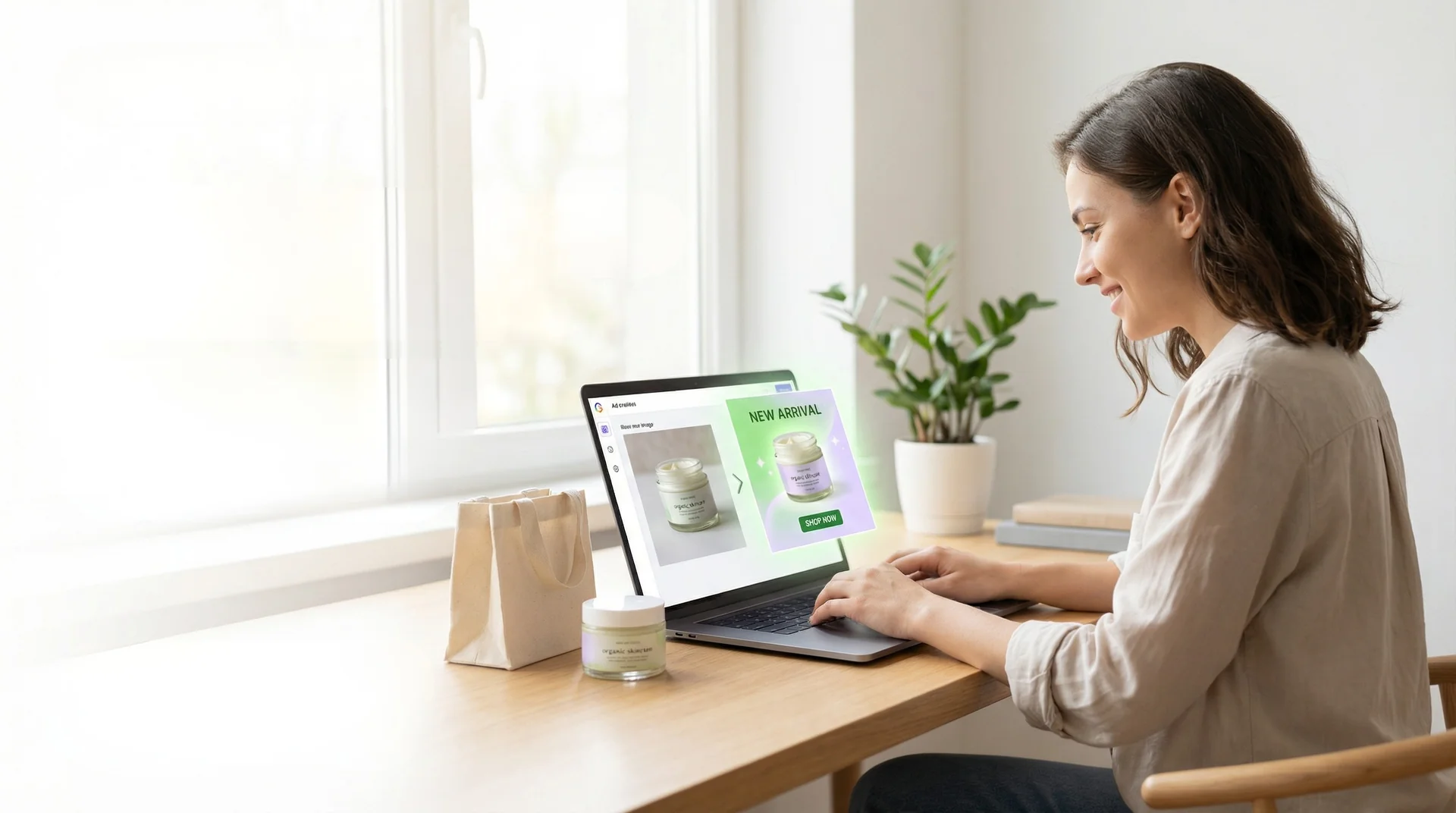
Sellers looking for realistic AI variations from real product photos are using platforms like GreenOnion, which lets you upload one authentic product image and generate multiple realistic backgrounds and contexts — without the "too perfect" AI look that triggers skepticism.
The key difference: starting with a real photo (building trust) and using AI to create variations (maintaining efficiency) rather than generating entirely fictional product images.
Final Answer (Clear & Direct)
Yes, you can absolutely use AI photos on Shopify.
Customers don't punish AI usage — they punish dishonesty and visual mismatch. Research shows that consumer trust in AI companies has increased from 29% in 2024 to 33% in 2025, and according to a 2024 Salesforce survey, 100% of surveyed marketing professionals are using AI in their activities.
The winning strategy:
- 1. Start with real product photos (builds baseline trust)
- 2. Use AI to generate realistic variations (saves money, enables testing)
- 3. Ensure all images accurately represent what ships
- 4. Maintain consistent quality across all visuals
Used correctly, AI photos reduce costs, speed up launches, and help small sellers compete with established brands — all without sacrificing customer trust.
FAQ
Can I use AI photos on Shopify?
Yes, Shopify fully supports AI-generated images as long as they meet technical requirements (file size, dimensions) and accurately represent your products.
Will Shopify ban AI-generated images?
No, Shopify does not ban AI images. Their policies focus on image quality and accuracy, not creation method.
Do AI photos reduce trust with customers?
Not if they're realistic and accurate. Research shows consumers care more about image quality and truthfulness than whether AI was used to create them.
Do I need to disclose AI images to customers?
There's no legal requirement for standard product photos, but transparency is recommended for images that imply specific results or make demonstrative claims.
Are AI photos allowed for Facebook and Instagram ads?
Yes, both platforms allow AI-generated images. Their policies prohibit misleading content regardless of how it's created, so ensure images accurately represent your product.
Can AI photos help me sell more?
Yes, when used properly. AI enables you to test multiple variations, create professional-looking images on a budget, and maintain consistent visual quality — all factors that can improve conversion rates.
Want to try this with your own product?
Turn one real photo into realistic ads and lifestyle images.
Try GreenOnion now